Tilemaps
For dynamically placing tiles on the tilemap, the Tile Palette functionality is not necessary. It’s for in-editor tile painting use only. It’s simply a Grid and Tilemap prefab containing some tile assets.
Coordinate systems, row-major arrays
Using a multi-dimensional [[C Sharp|C#]] array like int[,] grid means that we index into the array with the y-coord first, then x-coord like grid[y, x]. Furthermore, the row index increases going downwards, meaning the first row has index 0, second has index 1, and so on.
This becomes important later on because when we want to draw the tiles to the screen, drawing the first row requires us to position it at the very top of the grid, not the bottom like a conventional XY coordinate system.
Tilemap tilemap;

void Paint() {
  var width = grid.GetLength(1);
  var height = grid.GetLength(0);

  for (var y = 0; y < height; ++y) {
    for (var x = 0; x < width; ++x) {
      // Start drawing at the top of the grid. Subtract `height`
      // by 1 because the grid is zero-indexed
      tilemap.SetTile(new Vector3Int(x, height - 1 - y), someCoolTile);
    }
  }
}
Creating regular tile assets
For some stupid fucking reason Unity has removed the ability to create regular tile assets from the right-click menu. This screenshot is from Unity 6:
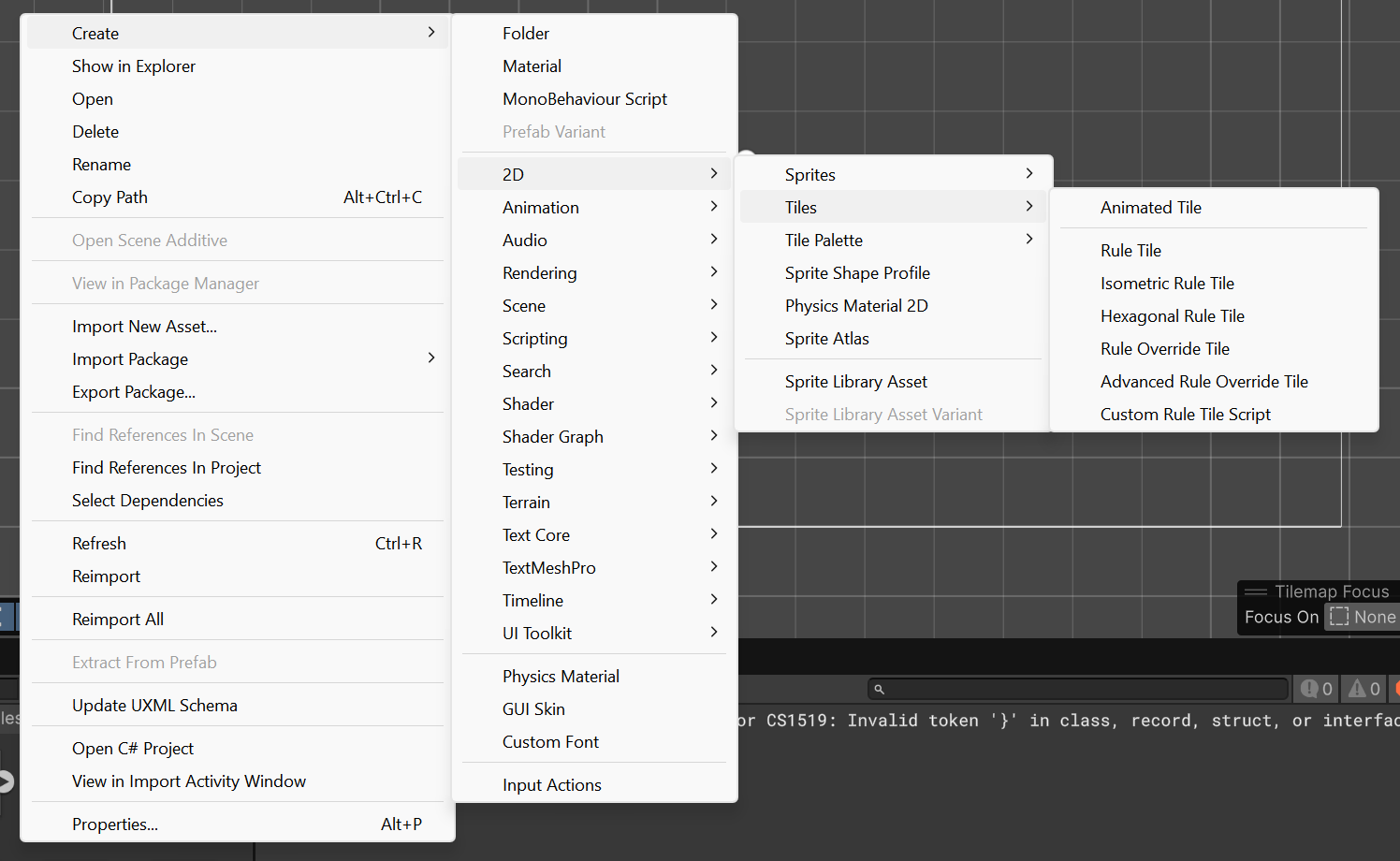
There are options to create fancier tiles like animated tiles, rule tiles, etc. but no regular tiles. Turns out that you have to do this really backwards method of dragging a sprite/spritesheet into the Tile Palette, which will then automatically generate regular tile assets for you.